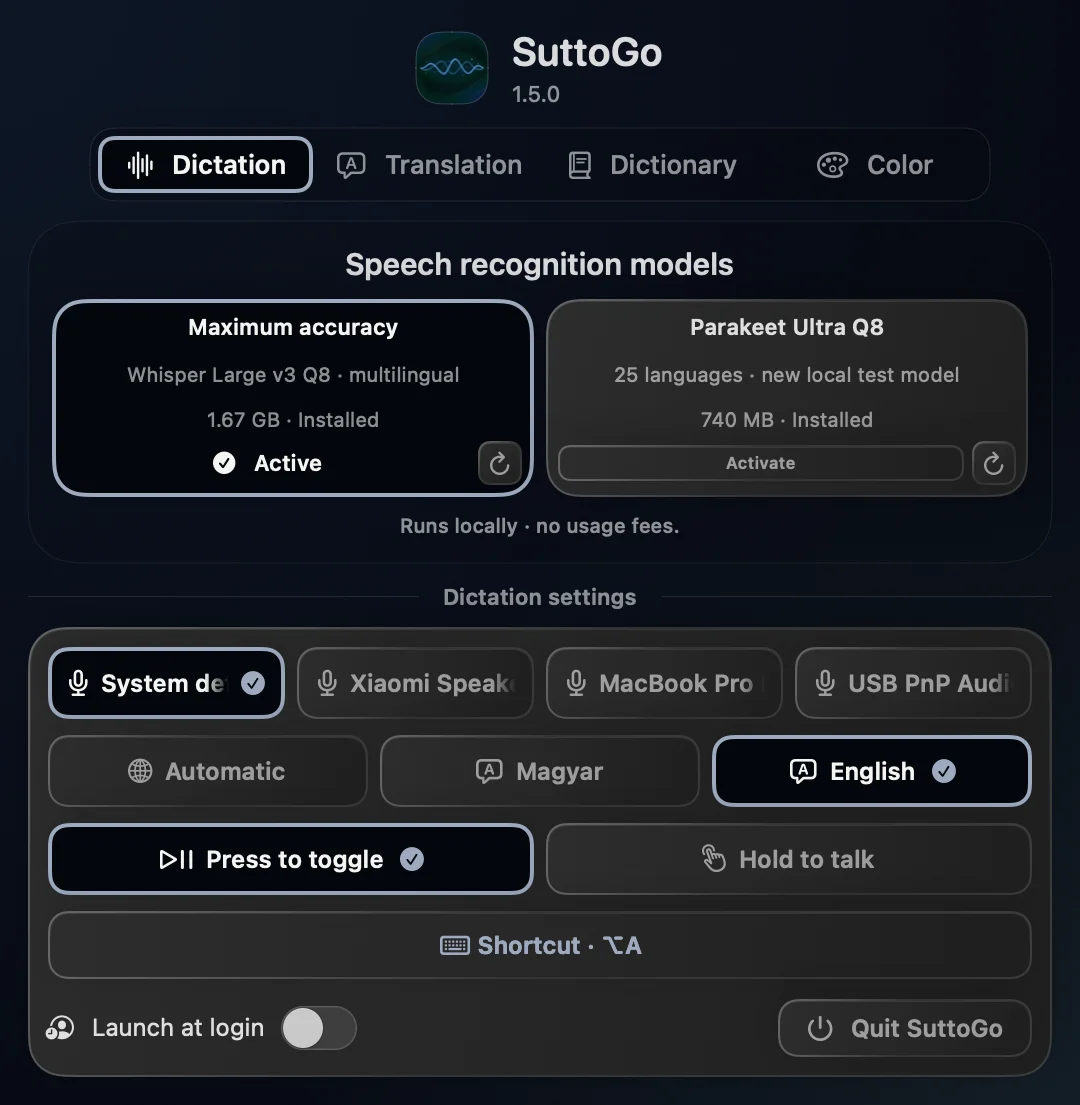
Choose your engine and microphone.
Two local speech models: Whisper Large v3 for maximum accuracy and Parakeet Ultra for speed. Pick the microphone, the language (automatic, Hungarian or English), toggle or push-to-talk, and your own shortcut.


Private dictation for macOS. Press ⌥A, speak, and your words appear in any app, in Hungarian or English. Speech recognition runs entirely on your Mac: no cloud, no account, no usage fees.
Pick a colour. The icon follows.
Live
While you speak, a small panel floats at the bottom of the screen and the waves follow your voice. Below is the same animation, recreated from the app’s code: the colours follow the selected theme.
Your microphone is only used in this browser tab; nothing is recorded or sent.
Two local speech models: Whisper Large v3 for maximum accuracy and Parakeet Ultra for speed. Pick the microphone, the language (automatic, Hungarian or English), toggle or push-to-talk, and your own shortcut.
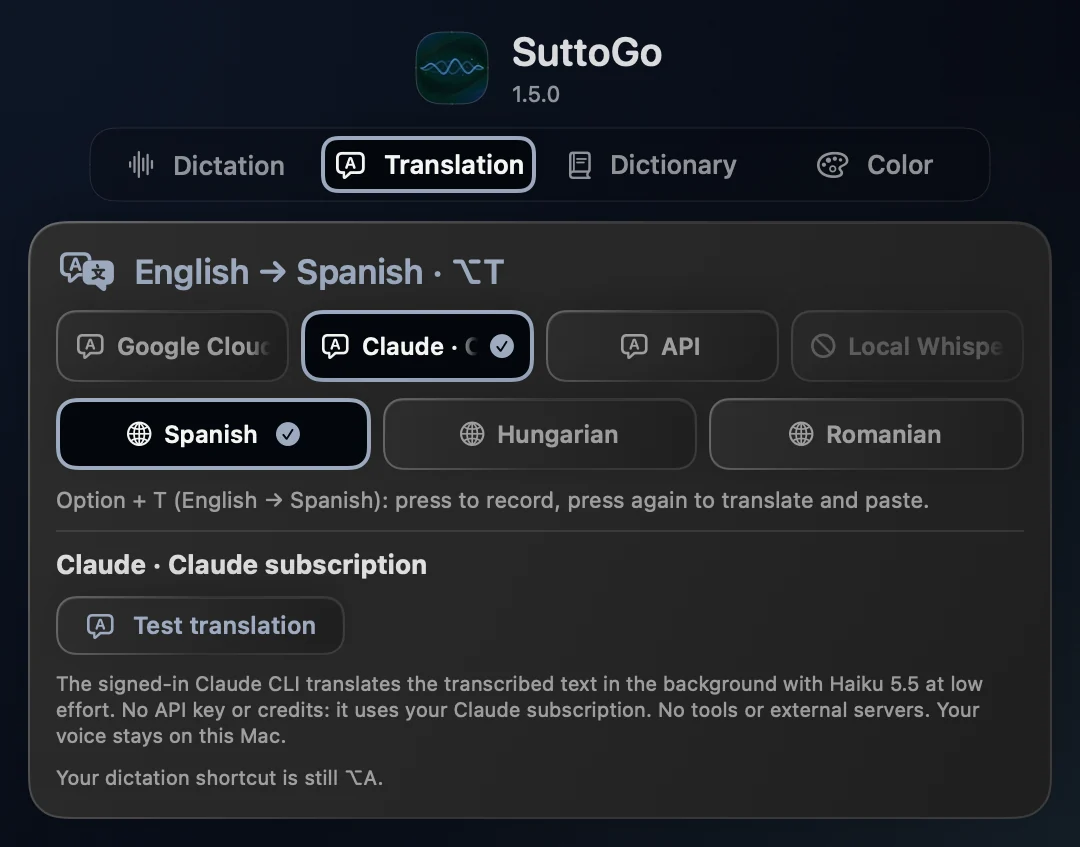
Press ⌥T: SuttoGo records your speech and pastes the translation, from Hungarian into English, Romanian or Spanish, or from English into Spanish, Hungarian or Romanian. Choose the engine: Claude with a Claude subscription or your own API key, Google Cloud with your own key, or local Whisper fully offline (into English only).
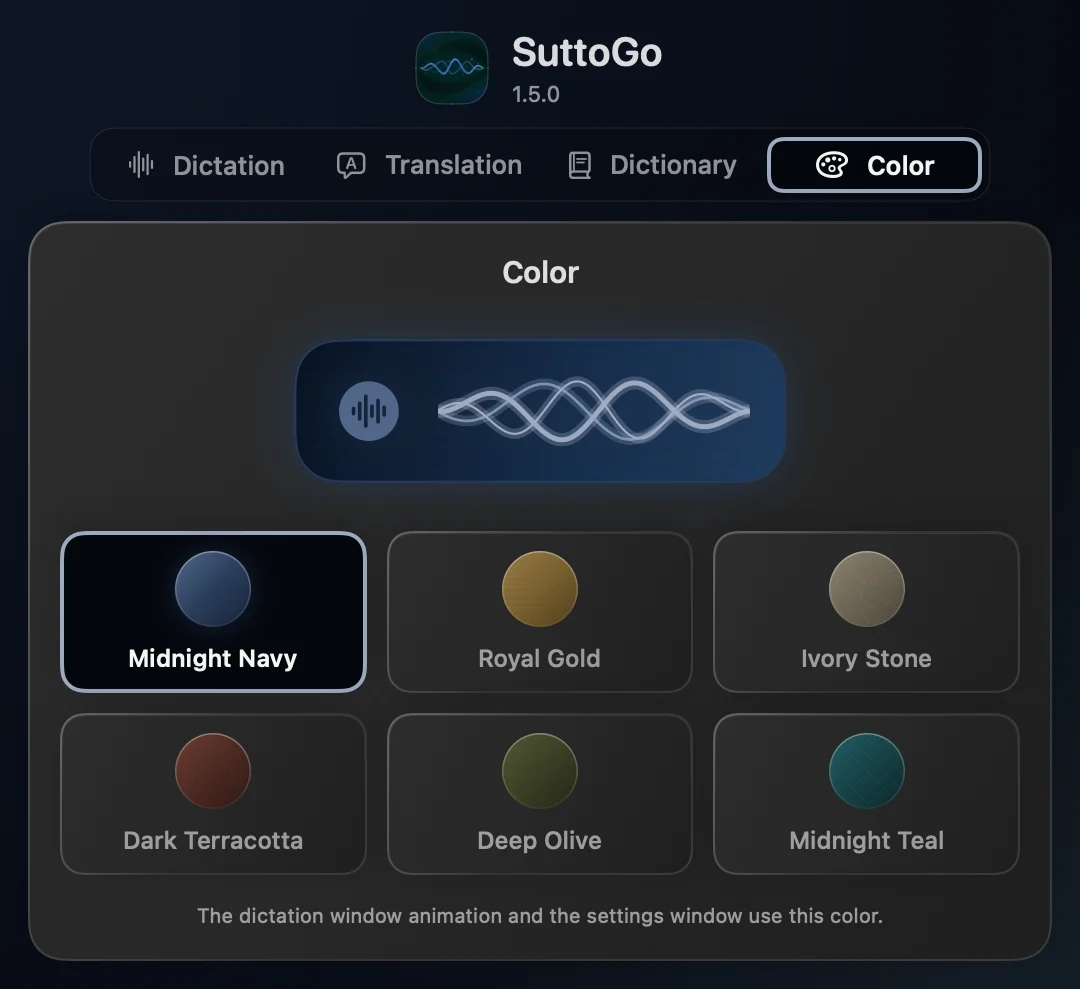
The selected theme recolours the dictation overlay, the settings window and the app icon, so SuttoGo fits your desktop.
Features
Press the shortcut, speak, and the text is pasted where your cursor is: mail, notes, browser, chat.
Two local speech models accelerated by Apple Silicon (Metal). Your voice never leaves the computer.
Say “új sor” (new line), “vessző” (comma) or “felsorolás” (bullet list) in Hungarian, and SuttoGo formats the text.
Filler words and self-corrections are removed, and a personal dictionary keeps names and terms right, even with Hungarian suffixes.
Press ⌥T and your speech is pasted in English, Romanian, Spanish or Hungarian, depending on the language you speak.
Settings, menu and messages are available in English too, and switch instantly, without a restart.
Lives in the menu bar, with a small overlay that shows which app the text will land in.
Themes
Choose a theme in Settings, and the dictation overlay, the settings window and even the app icon switch to match. Try it here: the page follows too.
Technology
1.67 GB · multilingual
Maximum accuracy; it also handles offline translation into English.
740 MB · 25 languages
Lighter and fast, and detects the language automatically.
Speech models: OpenAI Whisper (MIT); Parakeet Ultra by Moondream (CC BY 4.0), community Q8 GGUF conversion. Models are downloaded on first use.
Install
Download and open SuttoGo.dmg, then drag SuttoGo into Applications.
The app is not yet notarized by Apple. On first launch, right-click SuttoGo → Open, or allow it in System Settings → Privacy & Security.
Allow microphone access, and Accessibility so SuttoGo can paste the text.
Choose a speech model in Settings: it downloads once, then works offline.
Mac with Apple Silicon (M1 or later) · macOS 15 or later
In development
Next, we are building SuttoGo into a voice assistant for dental practices. During the exam, the dentist simply says what they see, and the AI turns the dictation into text, understands it and records it, structured, in the patient’s chart.
For example: a patient comes in with a cavity. The dentist says “tooth 36, occlusal caries, composite filling planned”, and the entry appears in the chart automatically, with no typing.
Speech is transcribed right on the device by our own SuttoGo engine. The audio never leaves the computer.
Claude receives the written text, not the audio, and turns it into structured fields: tooth number, diagnosis, treatment and notes.
The structured entry is written into the patient’s chart in the clinic software, for the dentist to review and approve.
Claude’s role
The full code of SuttoGo and our other apps was written with Claude Code.
In the dental product, Claude fills in the patient chart from the written dictation. It is a step inside the product, not only a writing helper.
Where we are
What it does not do: it does not make a diagnosis. The dentist decides and approves every entry. Only the written text goes to Claude; the audio stays on the computer.
Tooth 36, occlusal caries. Composite filling planned.
Contact
SuttoGo is a product of VINC3NT DESIGN S.R.L., a web design studio from Transylvania. Send us a few lines and we will get back to you.
Get in touch